
When you have a family, budgeting and being responsible with your finances is without a question and doubt, a must. However, with the hustle and bustle of daily life—between work, managing the household, and taking care of the kids—keeping track of expenses and savings can feel overwhelming.
But, thanks to technology, there are now several budgeting apps designed to make this task easier and more efficient.
With this guide we hope to introduce you to some of the best-rated budgeting apps available, helping you take control of your family's financial future.
A Guide to Budgeting Apps
Build My Wealth: Pinoy-Developed App
Since Build My Wealth is developed by a Filipino, it’s safe to say that it’s built with the typical financial situations of Pinoys in mind.
Features we like:
- Focused section on debts: Stay on top of your debt payment goals and track your progress.
- Retirement Planning: Set savings goals for retirement and track passive income growth.
- Helpful insights: Get a view of which assets and liabilities fit your financial goals.
- Clean interface: The simplicity and efficiency of the features are commendable.
Available on Google Play Store and App Store.
You can use the free version of the app until you reach a certain savings and expenses limit, at which point you will be prompted to avail of their paid plans. Learn more on their Facebook page:
Spendee: Your Personal Money Manager
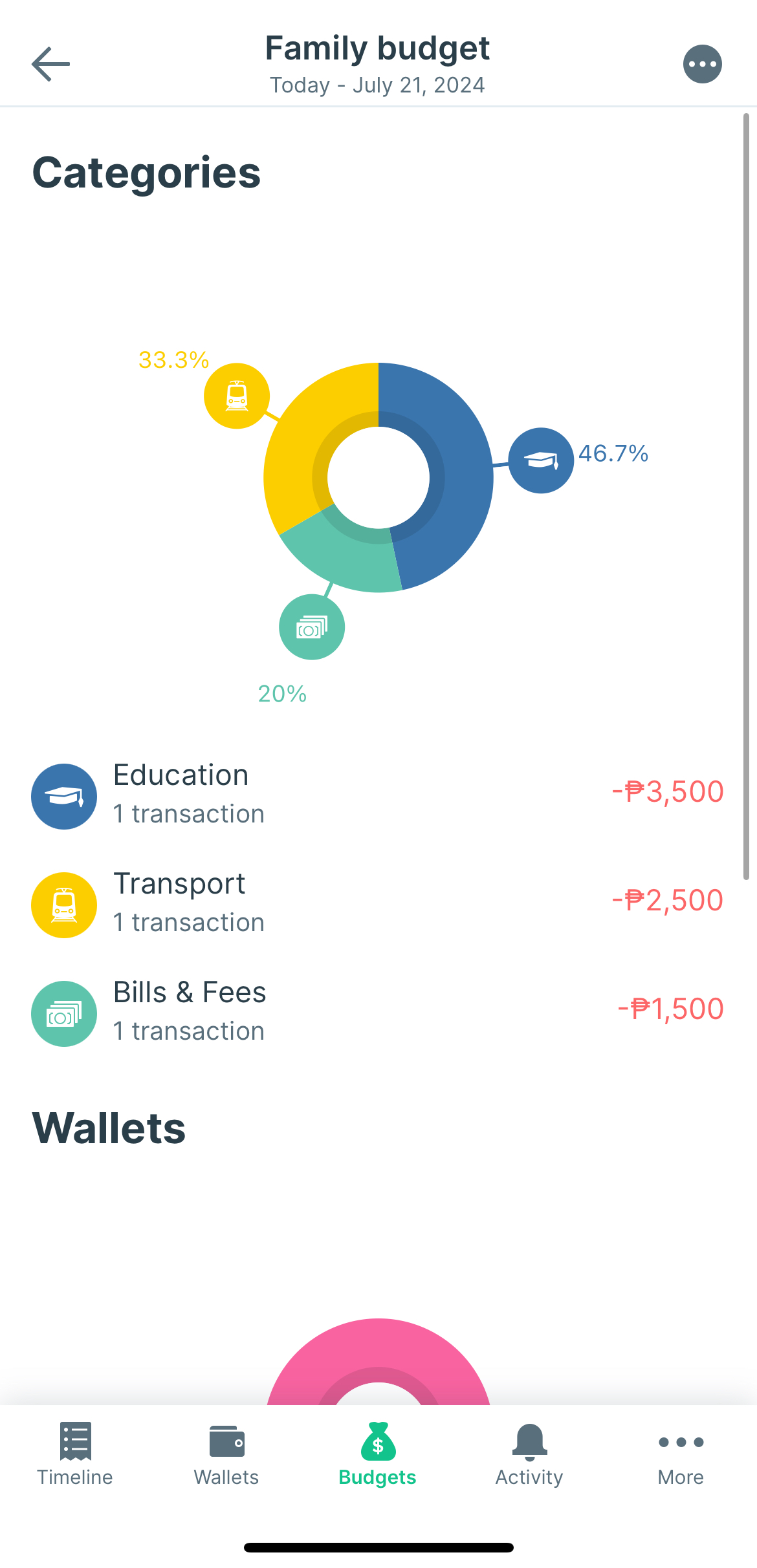
Spendee allows you to see all your financial habits in one place, making it easier to stick to your goals and stay organized.
Features we like:
- Expense insights: Automatically categorize your finance data and view it through simple infographics and stylish graphs. Perfect for visual learners!
- Spend alerts: Create budgets for different categories and get notified about your progress to avoid overspending.
- Scheduled transactions: Schedule your regular bills to anticipate expenses ahead of time.
Available on Google Play Store and App Store.
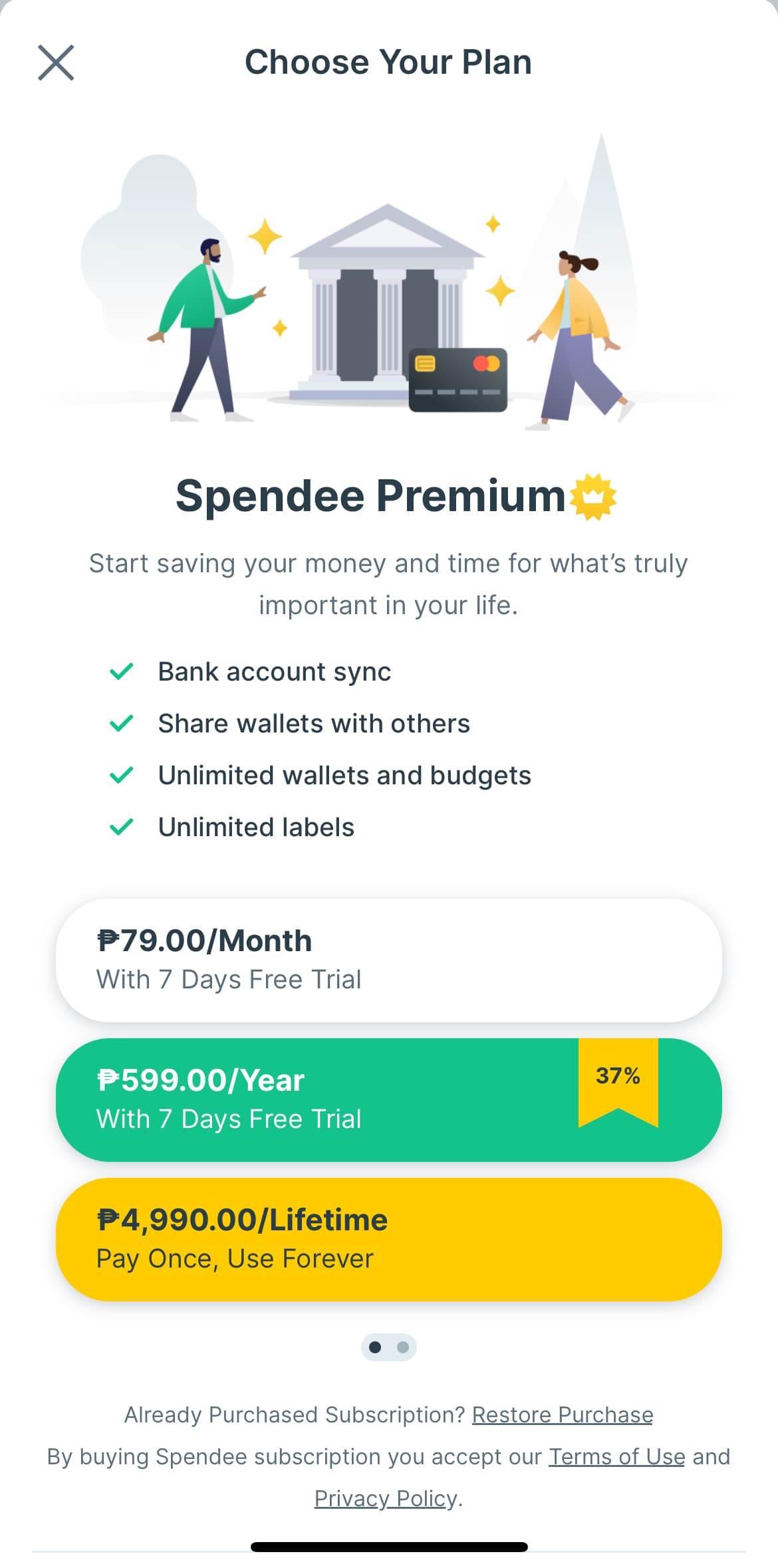
You can use Spendee for free, but to unlock premium features such as sharing wallet organization with your partner and syncing with your bank accounts for automated recording, here are their pricing plans:
Monefy: Quick and Enjoyable Expense Tracking
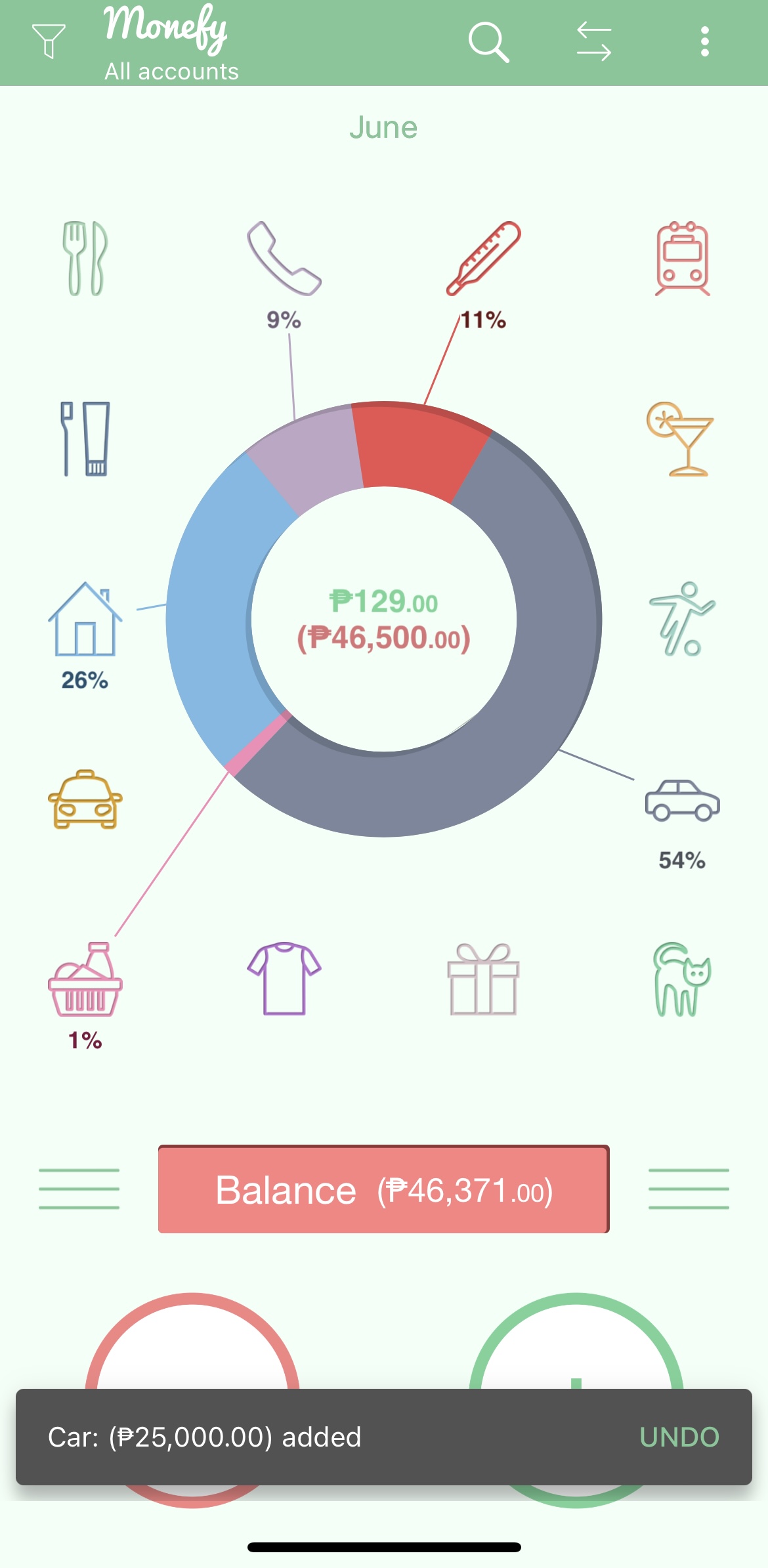
Monefy simplifies how you track expenses. If you ask me it's a visual, app version of having a spreadsheet for finance tracking.
Features:
- Intuitive Interface: Easy to use with minimal complications. The quick overview of your finances across different categories makes adding new records extremely easy and fast. I like that you can have a quick at a glance view of your finances on different categories as soon as you open you app. This also makes adding new records, whether it’s money coming in or coming out, extremely easy and quick.
- Safe Synchronization: Sync data between devices using Google Drive or Dropbox.
Available on Google Play Store and App Store.
Monefy is free to use but includes ads. To remove these ads and further customize your budgeting categories or sync to other devices, you can avail their pro plan. The yearly plan costs Php2,050, but here's an insider tip: watch out for one-time welcome offers as soon as you download the app for big savings!
Budget Card: Simple and Efficient
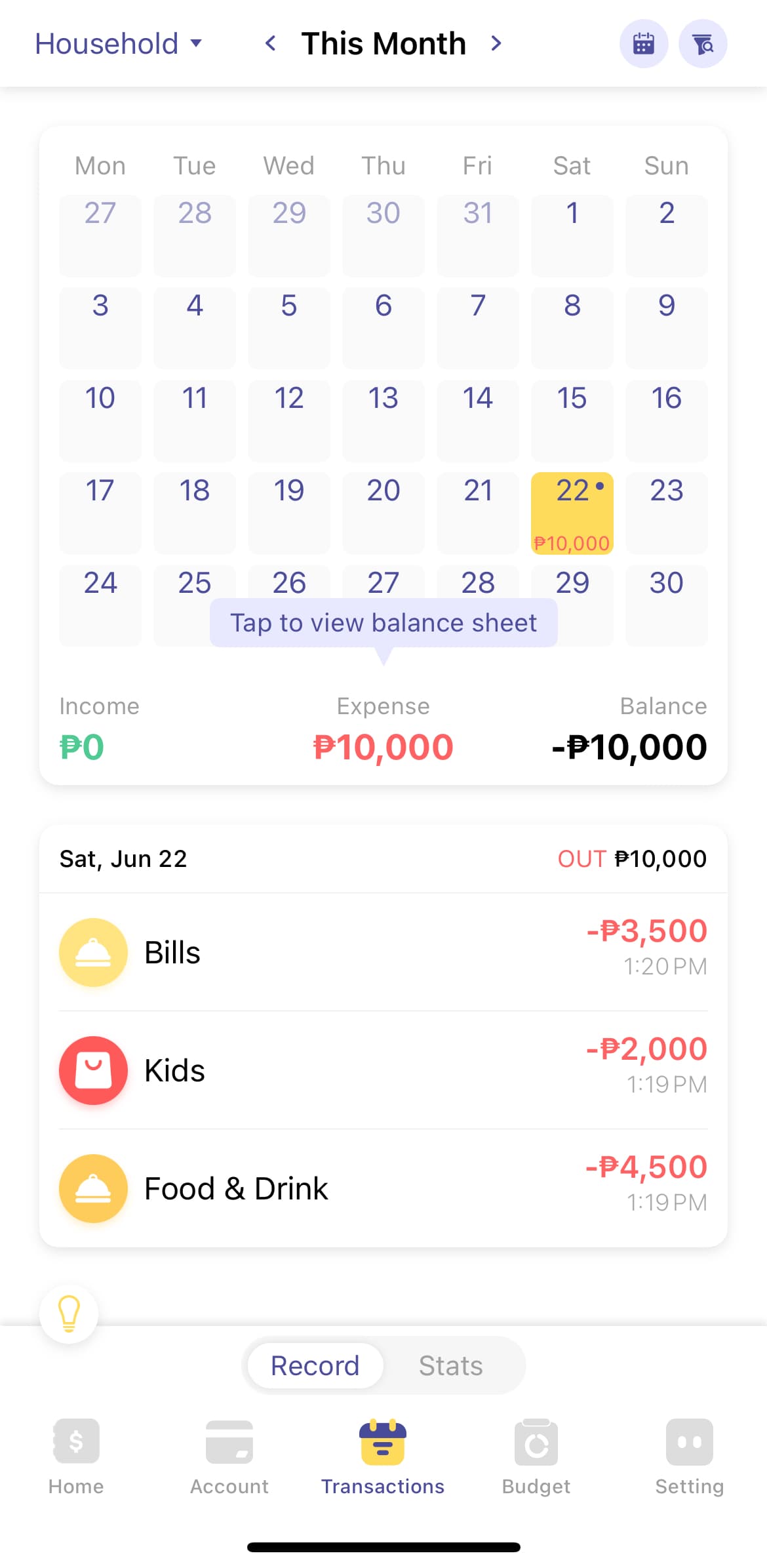
Budget Card helps you become a pro at tracking spending, planning budgets, and saving money. It organizes your finances like a ledger with categories and sub-categories within it.
Features we like:
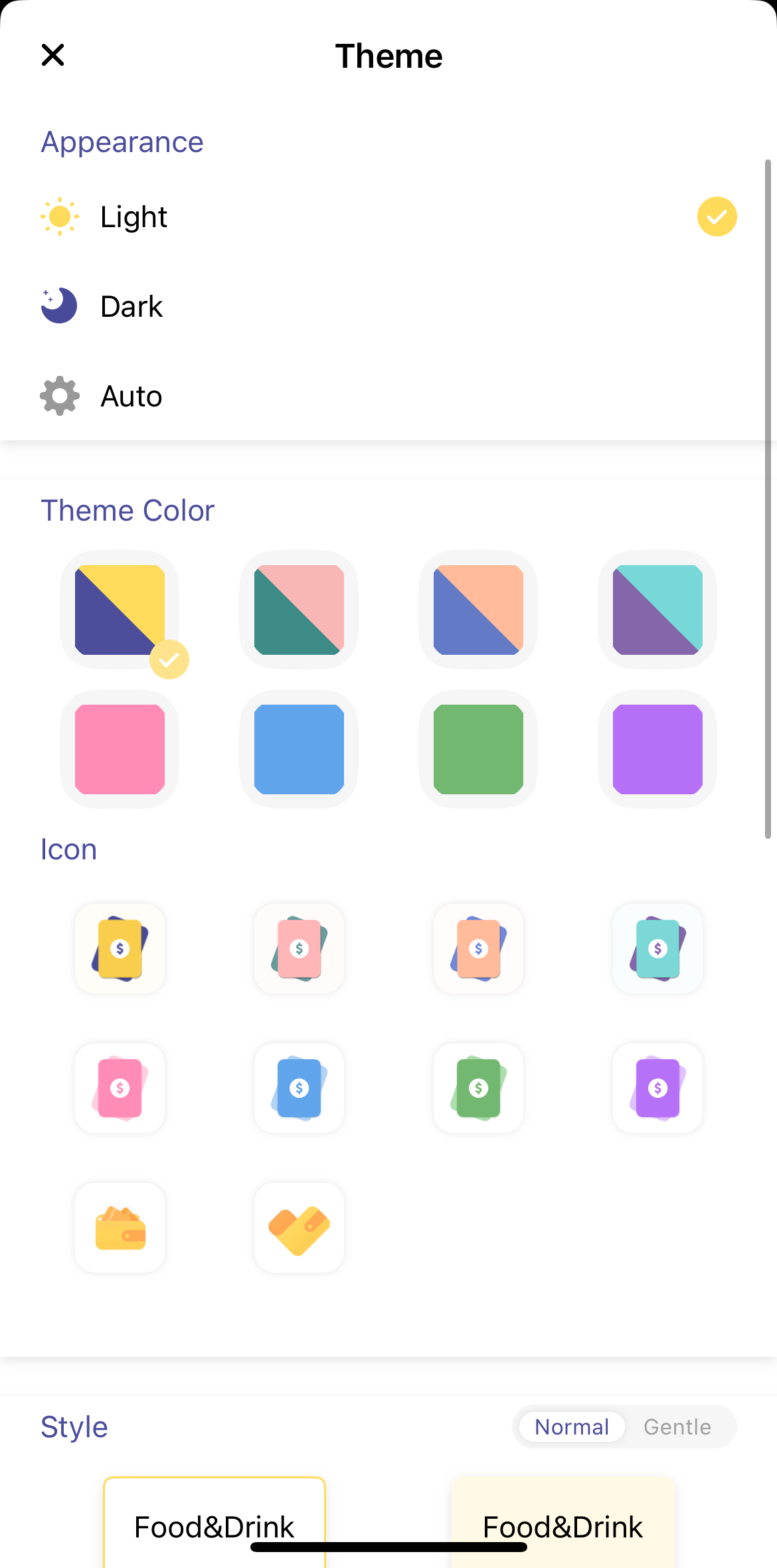
- Custom themes: Set up budgets for ledgers, categories, and sub-categories with various customization options.
- Widget app: Record budgets and view stats directly from the widget for easy, hassle-free finance tracking.
- Shortcuts: Set up gestures like tapping the back of your phone to trigger actions, making it effortless to stay on top of your finances.
- Export and import data: Helpful for optimizing existing finance trackers from Google or Excel sheets.
Available only on the App Store, but it’s compatible with Apple Watch and can sync via iCloud for multi-device syncing.
You can use limited features of Budget Card for free, but to unlock premium features like setting up unlimited categories and sharing a ledger with your partner, here are their pricing plans:
Buddy: Budgeting with Loved Ones
Buddy helps you stay on track with your family's financial goals.
Features we like:
- Security: Nominate a passcode for added protection of your privacy and security.
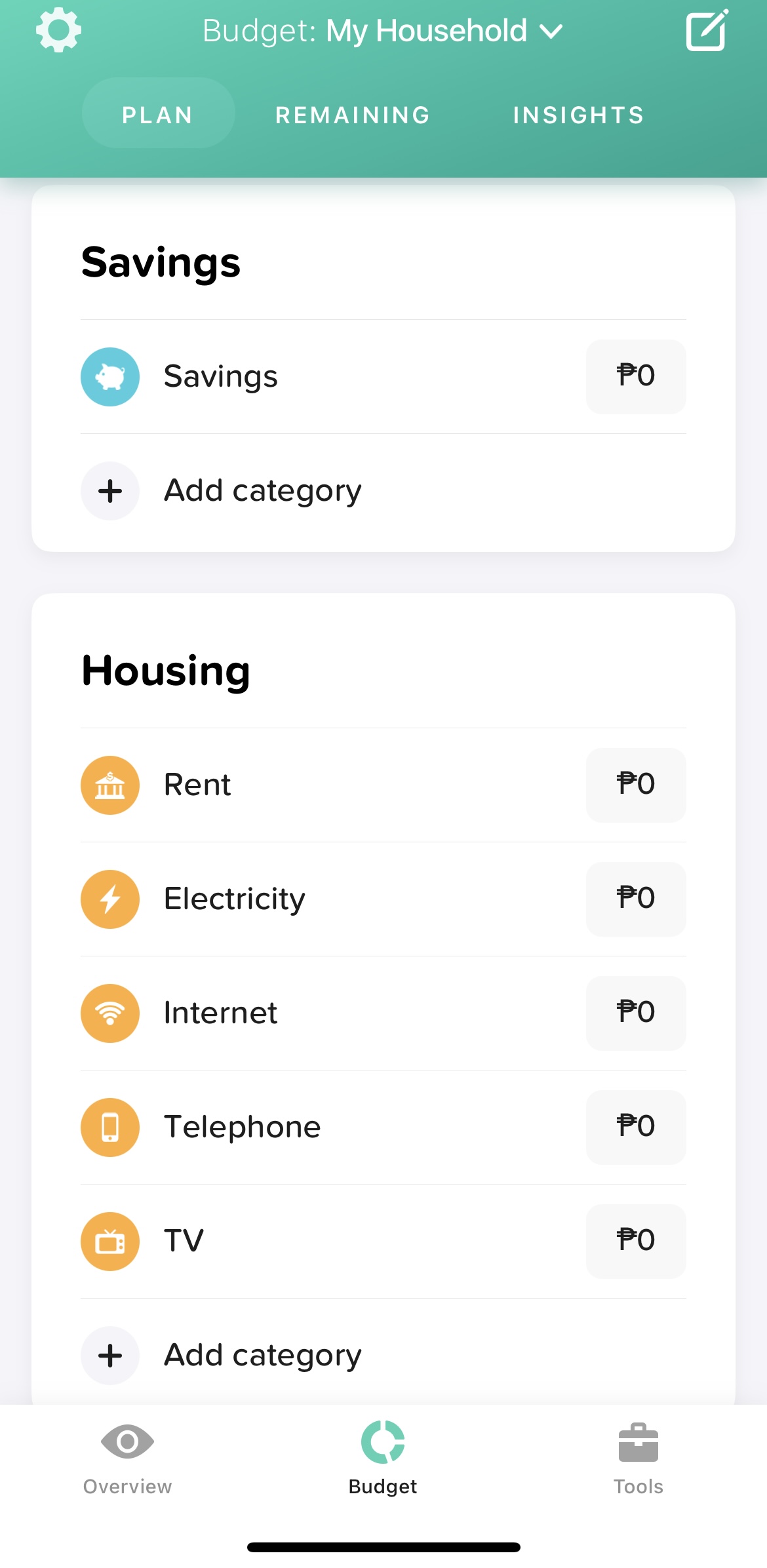
- User-friendly: One of the easiest budgeting apps to navigate, with a design that is light on the eyes and straightforward.
- Split: Know who paid what and how to settle up, ideal for shared expenses.
Available only on the App Store.
Buddy also allows you to add a member to your account so you and your partner can work on the same tracker simultaneously. However, this feature comes with a subscription plan.
What other parents are reading

Lorem ipsum dolor sit amet, consectetur adipisicing elit, sed do eiusmod
Lorem ipsum dolor sit amet, consectetur adipisicing elit, sed do eiusmod