Microsoft recently showcased the new capabilities and enhancements of Windows Internet Explorer 9 (IE9), following the recent announcement of its worldwide beta availability. The new browser delivers a fast, clean, trusted and interoperable online experience that takes full advantage of Windows 7, putting the focus on the sites and applications people, especially parents, care about.
Users can now download the new Internet Explorer 9 Beta and experience many of these new sites at http://www.BeautyoftheWeb.com.
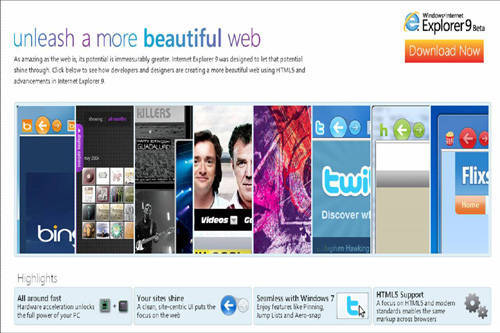
“Internet Explorer 9 uses the power of Windows and the whole PC to bring you a better Web,” said John Bessey, Managing Director, Microsoft Philippines. “Together with our partners, we’re reaching out to over 800 million visitors to deliver a more beautiful Web to users across the globe.”
Top Sites: Partners Bring HTML5 to Life With Internet Explorer 9
Internet Explorer 9 has been re-architected to be the only Web browser to focus on bringing sites front and center through Windows 7, enabling a new class of experiences on the Web with partners.
The partners at the recently-held Beauty of the Web event, which collectively reach over 800 million visitors daily, include these:
• The top four social networking sites: Facebook, MySpace, LinkedInand Netlog
• Twitter, the largest real-time information-sharing service
• The No. 1 sites for retail (Amazon.com), auction (eBay) and entertainment information (IMDB)
• The leading European entertainment network (RTL) and the top brand and portal in China (Sohu)
• Leading sites in news (CNN, USA Today), search (Bing), travel (Orbitz), movies (Flixster), multimedia (Hulu), music (Gorillaz) and photos (Photobucket)
Click here to read more about Internet Explorer 9's design and browser safety features and applications.
[previous|page|next]
Read more about Internet Explorer 9's design and browser safety features and applications.
Clean Site-Centric Design Integrates With Windows 7 and Makes Sites Shine
Internet Explorer 9 puts the focus on the applications with a clean experience, Windows 7 integration, and more pixels dedicated to the website, not the browser, allowing sites to shine. Browser controls are reduced and framed in “glass” so that, while they are discoverable, people see their Web content first and foremost. In addition, the design principles in Windows 7 carry through to Internet Explorer 9 so that sites appear more like native applications on the PC. Features include these:
- Pinned Sites. With Pinned Sites, a user’s favorite websites can be accessed directly from the Windows Taskbar without having to first open the browser, making it quick and easy for users to get to the content they care about. The site’s branding comes through both in the icon and in the site colors in the navigation buttons.
- JumpLists. JumpLists offer a quick and easy way to get to a common website task without having to first launch the browser. For Pinned Sites where developers have created JumpList capabilities, users can quickly create a new e-mail message, check their inbox, change the music station, accept a friend invitation or see breaking news. The possibilities are endless.
- Tear-off tabs and Windows Aero Snap tabs. Users often need to use more than one website or page to accomplish a task. Tearing off a tab by dragging it away from the browser and using Windows Aero Snap enable users to show two sites or pages side by side. Users can compare products from different websites, watch a video while reading e-mail, or look at a map while reading an itinerary for a trip. To tear off a tab and snap it, the user simply clicks a tab and drags it to the edge of the screen. Content on the site is rendered continuously, and videos continue to play when snapping a window in place, providing a fluid experience just like a native application.
“The user features offered by Internet Explorer 9 enhances the users’ overall Web experience and enables people and organizations to maximize online tools to reach out to their audience,” said Chay Mondejar-Saputil, Managing Director, Chimes Digital Marketing Solutions.
Trusted: Building a Browser With Safety, Privacy and Reliability in Mind
Keeping parents and the safety of their kids in mind, Internet Explorer9 is designed to be the most trusted browser because it has a robust set of built-in security, privacy and reliability technologies that keep customers safer online.
Built on the industry-leading protections in Internet Explorer 8, these new features provide the trust people need to feel safer online:

- Download Manager with SmartScreen Filterintegration. Internet Explorer 9 provides the first Download Manager with integrated SmartScreen malware protection and introduces SmartScreen download reputation. SmartScreen download reputation is a groundbreaking browser feature that uses reputation data to remove unnecessary warnings for well-known files, and show more severe warnings when the download has a higher risk of being malicious. Users today are often conditioned to ignore generic warnings that are shown for every download. Other browsers show the same warning whether a file is an extremely common program or a piece of malware created literally minutes ago. With this, parents can be alerted before hand if a website they’re about to access or files they’re about to download are free from malware, viruses, etc. This is also a great help for parents who wish to identify websites that might not be safe for their children. Internet Explorer 9 is the only browser that uses download reputation to help users make safety decisions.
- InPrivate Browsing and InPrivate Filtering. This prevents browsing history, temporary Internet files, form data, cookies, usernames, and passwords from being retained by the browser. Internet Explorer will launch a new browser session that won’t record any information, including webpages that users visit and searches that they perform. Closing the browser window ends the InPrivate Browsing session.
- Add-on Performance Advisor. Add-on Performance Advisor notifies users when add-ons are slowing down their browsing session. By default, users are notified if the total load time of all enabled add-ons takes more than 0.2 seconds, giving them an opportunity to make an informed decision to use the add-ons that they find valuable and disable those that may be less useful or are affecting performance.
- Reliability features. Tab isolation, automatic crash recovery and the new hang recovery feature in Internet Explorer 9 all help ensure users’ information isn’t lost and keep them browsing when a website isn’t working correctly.
Click here to read more about Internet Explorer 9.
[previous|page|next]
Read more about Internet Explorer 9.
Raise Expectations for a Better Web
“There have been many significant changes in the way a user experiences the Web and Internet Explorer 9 was built to optimize this and bring about a compelling experience that takes advantage of the power of the PC through Windows,” said Mae Moreno, Windows Client Product Manager, Microsoft Philippines. “With Internet Explorer 9, users can now gain control of a fast, clean, and graphically-enriched Web browsing, without having to worry about online and security threats.”
Internet Explorer 9 transforms the capabilities of the Web, delivered through Windows and modern hardware. With Windows and Internet Explorer 9, Microsoft lets customers re-imagine the role of the browser to deliver an experience that makes the Web feel as native as the user’s favorite PC applications. The result is a more beautiful Web experience. It creates the foundation for a wave of compelling, immersive websites and applications that deliver an experience like the one people expect from an application running on Windows. Microsoft is helping the Web go native and unlocking the Beauty of the Web. More information can be found at http://www.BeautyoftheWeb.com.

Lorem ipsum dolor sit amet, consectetur adipisicing elit, sed do eiusmod
Lorem ipsum dolor sit amet, consectetur adipisicing elit, sed do eiusmod