This App Automatically Hides Children’s Faces in Videos and Photos
Created by an entrepreneur and mom of twins, Kloak understands what parents need when it comes to protecting their kids' privacy online.

by Em Cruz
Published on Jun 2, 2026
In 2023, a TikTok video went viral after a parent posted footage of another child approaching him to ask for a bite of the ice cream he had offered to his own child. The child who asked for some ice cream was ridiculed heavily online, to the point that his mother reportedly considered taking legal action. The incident served as an important lesson and reminder for both parents and non-parents alike: do not post other people’s children or minors on social media without proper consent.
At the time, Atty. Chel Diokno explained why sharing photos or videos of minors on social media without a parent’s explicit consent can have legal implications. He cited the Data Privacy Act RA 10173, stating:
“Sa batas, bawat isang tao ay may karapatan sa privacy at may control sa paggamit ng kanyang personal information, kasama ang pangalan, litrato, o video. At may proteksyon pa din dito kahit nasa public place."
He further clarified:
“Bago mag-post ng pictures o video ng ibang tao, kailangan munang hingin ang pahintulot nila,” Atty. Chel further clarified, “At kung ang kinuhanan ay bata, kailangan ng pahintulot ng magulang o legal guardians. Ang pagkalat sa social media nang walang ganitong permiso ay maituturing na unauthorized processing of personal information na may parusa sa data privacy act.”
Today, more people are aware of these implications. Many parents now take the necessary steps to protect not only their own children’s privacy online but also the privacy of other minors. It has become increasingly common to see stickers, emojis, or blur effects covering children’s faces in photos and videos shared on social media.
One mother decided to take that idea a step further by developing an app that allows parents and content creators to keep minors’ identities private while still sharing the moments they want to share with friends, family, and followers.
.jpg)
Meta and YouTube Guilty: What Parents Can Learn from the Trial
Read hereWhat Is Kloak App?
“Kloak finds and blurs every child’s face in any video — automatically, on your phone, before you share it anywhere. No editing. No uploads. Just one tap.”
This is the description featured on Kloak’s site.
Kloak was created and developed by entrepreneur and twin mom Sarah Boland with the goal of helping parents protect their children’s privacy online without giving up the ability to share meaningful moments. The app aims to give parents greater control over what they post on social media while reducing the risk of exposing children’s identities to strangers online.
The app is easy to use right from the start. Upon opening it, users are greeted with its main promise: “Protecting your kids online just got a whole lot easier."
A quick swipe introduces the app’s primary tools and features:
Auto Blur: Kloak automatically finds faces in both photos and videos.
Batch Photos: Protect an entire set of photos without editing them one by one.
Customize Coverage: Move, resize, and position the black box or cover exactly where needed.
Kloak Kits: Save preferred styles and privacy settings for future use.
Another swipe highlights the app’s privacy commitments:
All videos and photos remain on your device.
No clips used to train AI models.
No content is uploaded to any server or third-party tool.
Original files remain unedited.
Protected versions can be deleted at any time.
Perhaps more importantly, the app allows users to access all features during a seven-day trial period. After the trial ends, users are charged a subscription fee of P2,490 billed annually. The app also provides reminders before the trial expires, including a notification five days before the end of the free trial period.
How Are Filipino Lawmakers Acting to Protect Kids from Social Media Harms?
Read hereDid It Work?
We tried out the Kloak app to see just how easy it is to use and whether it delivers on its promise of protecting children’s privacy.
Video Test
We tested the video capability first, and we tried it out with a video of my daughter and her friend playing on the swings.
Selecting a video from my phone’s gallery and importing it into the app was quick and straightforward. Within seconds, the app automatically identified my daughter’s friend and applied a mosaic blur to her face. I then tapped my daughter’s face to include her in the protection settings as well.
Aside from automatically covering a child’s face, another feature I appreciated was the ability to change the default mosaic blur into different cover options. Users can choose from emojis, flowers, animals, and other fun designs. For this test, I selected one of the app’s “little guys” stickers, which comes in various colors.
The app also allows users to adjust the size, placement, and timing of the cover throughout the video. Since I wanted continuous protection, I chose to keep the cover active for the entire clip.
Exporting the finished video was equally simple. Tapping the export button in the upper-right corner saved the edited version directly to my gallery. The process took only a short time, and importantly, the original video remained untouched.
For parents who regularly share family or even class/school moments online, the process felt intuitive and required very little learning or manual editing.
Photo Test
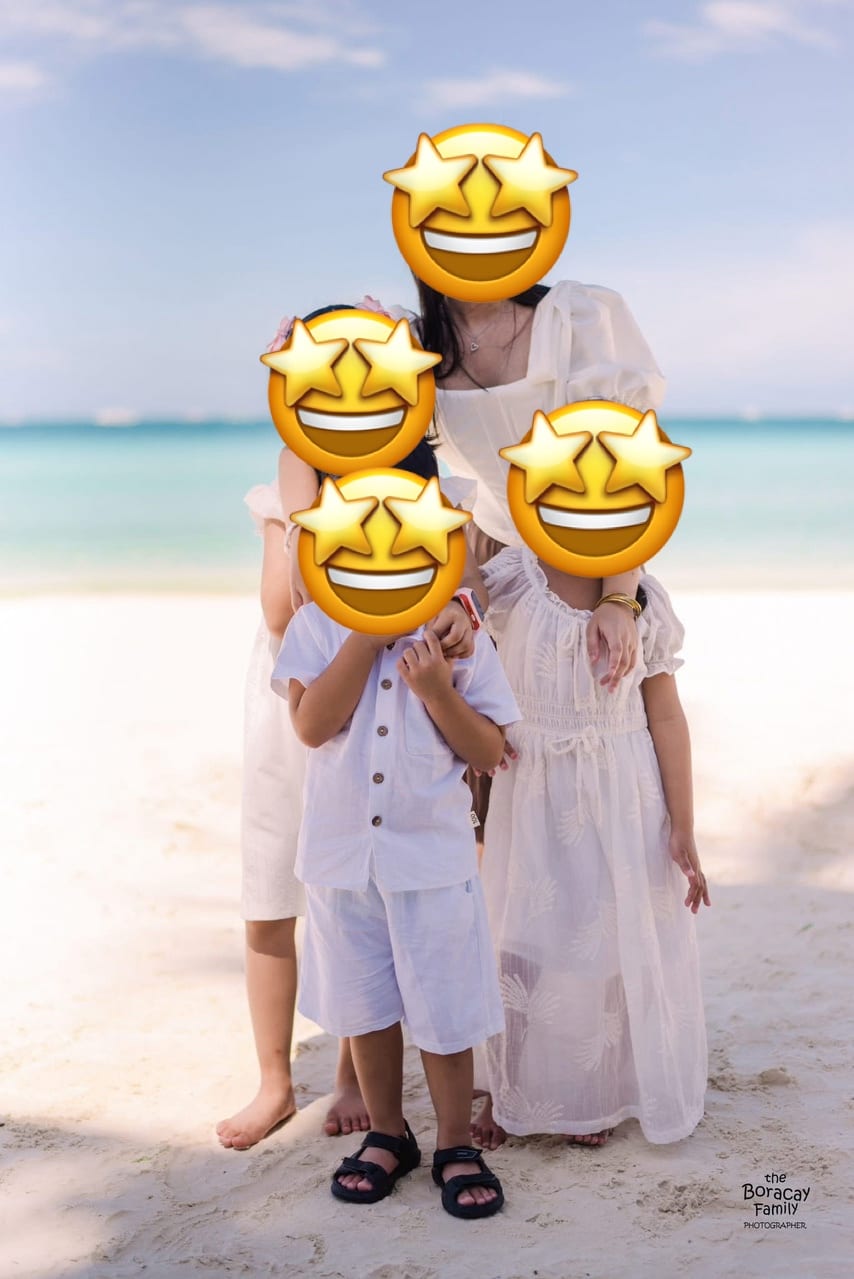
For photos, I decided to use a group photo of my children and their cousins. I wanted to see how well the app would perform when handling multiple faces, similar to what parents might encounter in class photos, birthday parties, or family gatherings.
After selecting the Photos option and tapping the plus (+) button at the bottom of the screen, my gallery opened, allowing me to choose a photo. Once selected, I waited only a few seconds before the app generated a protected version of the image.
The app successfully detected all of the children’s faces and automatically applied covers to them. Just like with videos, users can choose between mosaic blurs, emojis, and other visual alternatives.
By tapping on the image, I was able to access the Photo Review feature, which allows users to fine-tune the size and placement of each cover. This is especially useful if the app misses a face of if a user wants to make adjustments for better coverage.
After exporting, the protected photo was automatically saved to my gallery, while the original image remained untouched. The app also had no difficulty identifying and covering my tween, which suggests that it can recognize a wide age range among children.
Overall, the photo editing process was just as simple and efficient as the video editing experience.
LA Trial Questions Social Media’s Impact on Minors: What It Means for Parents
Read hereFinal Thoughts
As parents become more aware of the risks associated with sharing children’s images online, tools like Kloak offer a practical solution. The app addresses a growing concern among families who want to document and share important milestones while still respecting children’s privacy and protecting them from unwanted online exposure.
What makes Kloak stand out is its simplicity. Users do not need advanced editing skills or expensive software to protect children’s identities. The app automates much of the process while still giving users enough control to customize the final result. Its privacy-first approach, particularly the fact that content remains on the user’s device and is not uploaded to external servers, may also provide additional peace of mind for parents. It’s truly an app designed by a parent for parents.
While the annual subscription fee may not appeal to everyone, the convenience and time-saving features could make it worthwhile for families who share photos and videos online.
In a time when digital privacy is becoming increasingly important, especially for minors, Kloak offers an easy and accessible way for parents to think twice before posting and to do so more responsibly. It serves as a reminder that protecting children’s privacy does not necessarily mean giving up the joy of sharing life’s memorable moments.
Download the Kloak app through its website or from the Apple Store.
Here's another push in a growing list of Senate measures aiming to set age limits on social media use among minors.

What to Say When Your Child Sees Porn: A Parent’s Script
Read hereEm is a mom of two fueled by coffee, stories, and parenting chaos. When not on her laptop as Smart Parenting’s Assistant Managing Editor, she’s likely lost in a book or movie.
Read more stories about