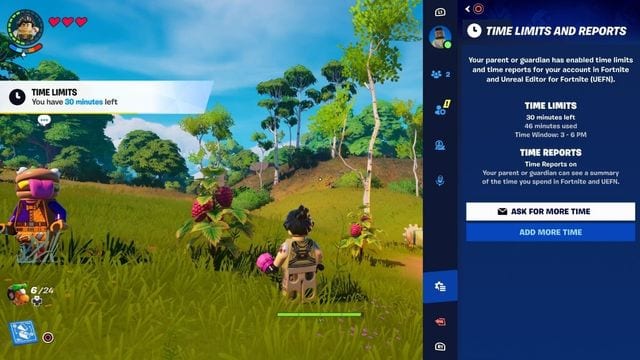
Parents will soon have better control over their children's Fortnite experience, as Epic Games introduces Time Limit Controls and Time Report features. The latest update aims to enhance young players' safety by enabling parents and guardians to manage their gaming time and monitor online interactions.
ALSO READ: Internet Gaming Addiction Is Real: A 15-Year-Old Was Diagnosed With the Disorder
Fortnite's Enhanced Parental Controls Features
Fortnite has taken the gaming world by storm since its launch in 2017, attracting mostly kids and teens. With over 222 million players right now, it stands as one of the globe’s most beloved games.
The game's rise in popularity can be linked to its accessibility, compatibility with nearly all devices, and social features. However, it’s these same features that can make the game addictive for some, especially younger minds. This has raised concerns among parents about screen time, exposure to violence, and potential impacts on social behavior. Ongoing discussions arguably influenced Epic Games' decision to enhance its parental controls.
In a blog post dated October 1, Epic Games announced the introduction of two new parental controls: Time Limit Controls and Time Reports. These features enable parents to manage and monitor their player's playtime in Fortnite and Unreal Editor for Fortnite (UEFN).
Setting Up Time Limit Controls
Parents can access time limit options in the Parental Controls section of the Fortnite main menu or via the Epic Account Portal. With these controls, parents can limit daily playtime, specify playtime windows with associated limits, and allow players to request extra time as they near their limit.
From the Epic Account Portal, parents can log into their player's account to configure these settings.
Functionality of Time Limit Controls and Time Reports
When a time limit is set, players will receive notifications when they have 30 minutes left to play. Once they reach their limit, they will be unable to access Fortnite or UEFN until the next day or a new time window begins, unless additional time is granted by a parent.
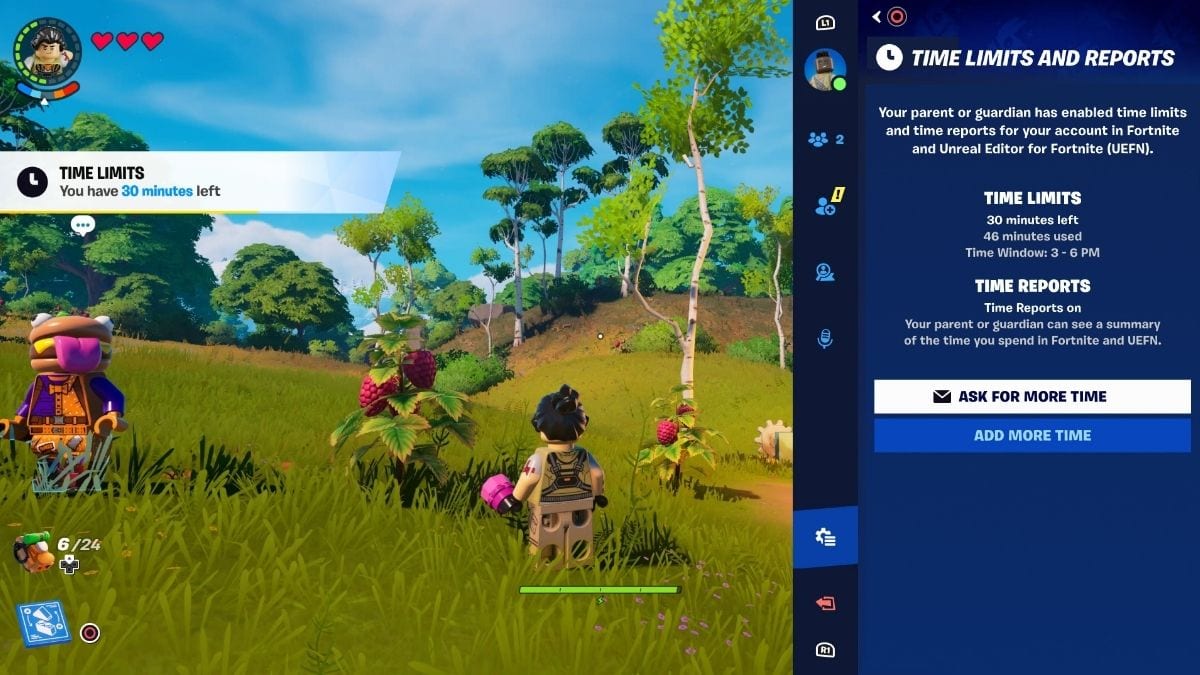
Players can request more time from the main menu by selecting “View Time Limits” and then “Ask for More Time,” if enabled.
Time Limit Controls work across devices; as long as the same account is used, limits apply in both Fortnite and UEFN. Time limits are paused during inactivity.
Parents who opt into Time Reports can view a dashboard in the Account Portal, showing daily playtime statistics and any additional time granted.
Epic provides over a dozen Parental Controls to help families tailor their Fortnite experience, alongside strong privacy settings for younger players.
Discover how to encourage your little gamer to turn their passion for gaming into a chance to create their own game here.
More from sp

Lorem ipsum dolor sit amet, consectetur adipisicing elit, sed do eiusmod
Lorem ipsum dolor sit amet, consectetur adipisicing elit, sed do eiusmod