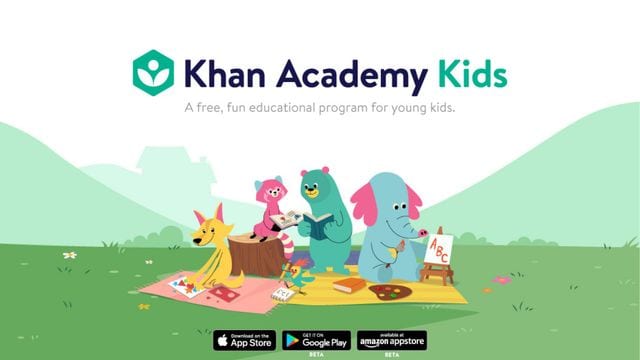
If you have older kids, you've probably heard of them using Khan Academy for school, for self-study, or homework and source material assigned by their teachers. It is an American non-profit educational organization founded by Sal Khan. In 2018, Khan Academy launched a brand new app, Khan Academy for Kids.
Khan Academy for Kids is primarily designed for children in early childhood to early elementary school, around two to eight years old. Its main goal is to promote early literacy by instilling pre-literacy skills through fun, interactive lessons, creative storytelling, and digital play.
It’s easy to use and set up. The lessons and activities are highly effective, well-researched, and vouched for by experts in the field. Best of all, it's completely free! And no, it’s not freemium or ad-supported—it’s absolutely free, forever, just like the original Khan Academy.
Individualized Learning Path
Khan Academy for Kids allows parents to create individual profiles for each child. By entering their age, it will automatically provide leveled reading material, age-appropriate content, lessons, games, and activities tailored to each child.
If you want to personalize it further, you can explore the Library, which contains a range of available activities, lessons, and stories. You can then add these to your child’s individual learning path.
For example, when assigning homework or an activity, you can select a specific literacy skill for your child to master, and set a standard for them to reach, and Khan Academy will provide leveled, interactive practices to help them succeed in that particular literacy skill, and the standards set can be adjusted accordingly depending on your kid’s progress.
The Khan Academy for Kids Library offers a broad selection of lessons aside from early literacy, including reading, social-emotional learning, math, writing, nature stories, and more. Khan Academy has partnered with National Geographic and Bellwether Media to offer an enriching collection of stories, characters, and informative science lessons.
Independent Learning
Once you’ve set up the lessons and activities, you’re all set and ready to go!
Your kids can complete lessons independently, without adult supervision. But of course, if your child is preschool-aged, it is still highly recommended to have some sort of supervision and set screen time limits. According to the app developers themselves, the ideal screen time for Khan Academy is up to 20 minutes a day.
All the books in their libraries have two modes: Read to Me (which follows an audio narration) and Read by Myself (for independent readers).
The activities and coloring pages can also be done without adult guidance, and the ever-helpful Kodi Bear will be there to guide them through the activities.
Early Literacy
One of the primary goals of Khan Academy for Kids is early literacy. To achieve this, it includes lessons and activities focused on phonics, vocabulary, reading, fluency, and reading comprehension.
Khan Academy for Kids is not just an educational app—it has also undergone rigorous evaluation by experts and researchers in the field to ensure it effectively supports early literacy.
Khan Academy for Kids even conducted a controlled study led by psychology researcher David Arnold at the University of Massachusetts Amherst. The study found that children who use the app regularly have shown significant improvement in pre-literacy skills compared to other wholesome educational apps.
They even concluded that the app is especially helpful for leveling the playing field for children from low-income families who may have limited access to formal pre-literacy classes.
Printable Resources
Khan Academy isn’t just an online educational platform. It also offers many printable resources, such as activity worksheets, coloring pages, and guides for parents. These resources include daily schedules, weekly planners for tracking your child's activities, and helpful tips to support your child’s reading journey.
Circle Time
Digital learning and play can sometimes feel lonely or isolating. To address this, Khan Academy Kids offers Circle Time! Similar to physical circle time in preschools, this interactive video series features two teachers who guide kids through storytime followed by fun activities and movement.
Circle Time fosters connection among children in the Khan Academy Kids community. Children can actively participate by submitting their own Show and Tell entries, allowing them to connect with friends in the community.
Offline Function
Khan Academy for Kids also has an offline feature that lets you download lessons and activities in your child’s individualized learning path. This ensures that the fun and learning never stop, even without an internet connection!
How to Set Up the Khan Academy for Kids App
Now that you know everything there is to love about the app, let’s get you started with the setup!
- Download the Khan Academy for Kids app, where you’ll be greeted by characters on the welcome screen.
- Sign up using your email.
- Verify your email: Check your inbox for the verification email from Khan Academy for Kids, and click the link to return to the app.
- Create child profiles: Enter your child’s name and age, and select an avatar. Afterward, you’ll see your first child’s profile.
- If you have more than one kid, tap the “New” button to create profiles for them. Repeat this process for each child.
Bonus: If you’re an early childhood educator or homeschooling parent, you can create a classroom and add your kids as students. This allows you to assign activities or reading materials individually or as a class, and monitor their homework and progress.
In Teacher Mode, you can also access detailed progress reports, including information on which skills a student is struggling with, how many times they’ve attempted an assignment, their scores, and their improvements. This helps you tailor the learning experience based on each student’s needs.
More from sp

Lorem ipsum dolor sit amet, consectetur adipisicing elit, sed do eiusmod
Lorem ipsum dolor sit amet, consectetur adipisicing elit, sed do eiusmod