Growing up, I remember my mom telling me, “Oy, don’t go so close to the TV, you will get blind!” or “Don’t sleep with your hair wet,” and “Don’t wash your eyes after watching or when you’re tired, lalabo paningin mo!” These are just some lines that stuck with me.
While I didn’t fully believe it, I found myself saying the same thing now to my own child.
In a previous Smart Parenting article, I had to ask our family eye doctor, Elaine Maceda-Fernandez of the Maceda Eye Clinic in Quezon City, because I noticed my daughter was displaying signs of vision problems. My guess was that it was because of the length of screen time that my daughter was exposed to.
Myth #1: If our eyes are tired, is it safe for us to wash our faces?
Dr. Elaine: Yes, it is safe.
Myth #2: Can we sleep even if our hair is wet or damp? Will we go blind?
Dr. Elaine: No, we will not go blind, and yes it is okay to sleep. But it can cause a headache and a wet pillow.
Children growing up during the pandemic make them digital natives; they know how to get around using gadgets faster than how grandparents would figure it out. This generation is exposed more to these gadgets than we were as children. I don’t see this type of setup going away any time soon.
Dr. Elaine said, “Patients are getting younger and younger. Gadgets and screens emit blue light and it disrupts the child’s sleeping habits. Getting enough sleep and rest is a big factor in a child’s development.”
I think that this is true. Kids tend to get very impatient and because the content is easily accessible, they can easily skip whatever it is that they don’t like.
“Screens also have a fast flicker or refresh rate on screens and this overstimulates the brain. This can lead to visual and behavioral issues and can create mood swings,” Dr. Elaine added.
READ ALSO: Can Excessive Gadget Use Cause a Seizure? Doctors Weigh In
A practical dad's guide on choosing a gadget for his kids
Now, there are a lot of gadgets that are available in the market. Some brands are known, and others not so much. You can find them in online shops and can easily be purchased. My questions as a practical dad that wants the best value for my purchase is, which of these gadgets are usable, flexible, and can accommodate the increasing need and demand of hardware and software updates as my kid grows up?
Basically, my questions are:
- How long will I be able to use the device?
- How compatible is it with my child’s needs?
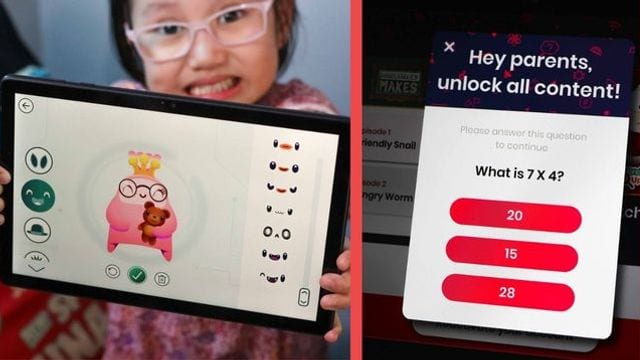
- Are these gadgets equipped with parental controls and has child-friendly apps and features?
Parental Controls are a good feature to start with in screening. This controls the content the kids would have access to, they can download apps or install and purchase something. A device that has a built-in control on the screen time usage of kids would be a big yes for me.
READ ALSO: 5 Damaging Effects of Letting Your Child Use a Gadget For As Long As They Want
Kid-friendly gadgets, according to a techie dad
If you’re looking for tablet and gadgets options for watching and even schooling, here are some of my recommendations for kids in the different age ranges:
1. For kids age 3-8 years old:
Huawei MatePad T8 (P8,999)
(Check out my initial impressions here and the product review here)
Buy it in Shopee, here.
realme Pad mini (P8,190 - P 8,690)
Buy it in Shopee, here.
A Techie Dad's Take:
Both gadgets are affordable and able to perform basic tasks. They can also accommodate basic school apps like Google Classroom and Seesaw. A few advantages from Huawei would be the apps and other software features that come with the Huawei MatePad T8, like the Kid’s Corner App. It comes with a durable carrying case, a stylus pen, and some kid-friendly content and entertainment.
The Huawei devices also have the Kids Corner app that reminds kids to sit up properly if they’re in a dimmed environment. It also restricts kids from using their tablets beyond an allotted screen time. These are of course adjustable in the settings. For screen time, Huawei recommends around 10 minutes of rest every half hour to keep the eyes fresh.
The realme Pad mini is kind of like an iPad mini but more affordable and has easily accessible apps via the Google Playstore, which the Huawei MatePad T8 lacks. It performs well with multi-tasking and has a good build quality. The realme Pad mini has a large 8.7 display screen and a large battery for longer multi-use.
2. For big kids age 8-15 year olds (and even adults):
realme pad (P12,790)
Buy it in Shopee, here.
Huawei MatePad 10.4 (P18,999)
Buy it in Shopee, here.
A Techie Dad's Take:
The realme Pad is definitely cheaper than the Apple iPad. It also has Google services which is great for downloading the much-needed apps for school needs. While the Huawei MatePad series still has some challenges with Google apps being installed into their tablets, there are workarounds and there are also thousands of apps available for your needs at the Huawei App Gallery.
Other gadget options
Of course, don't miss out on the Samsung tablet lineups. There are a lot of tablet options to choose from, depending on the specs that you need. Easily browse their website and choose depending on your budget, as it will show you the tablets that fit your needs.
Explore the Samsung Galaxy A8, A7 and even the Galaxy Tab A 8.0 and 10.1. If you’re looking for a bit more high-end, then go for the Samsung Galaxy Tab S.
Now, there are a lot of options out there. Dozens of brands and coming out with new models every year. My take is, if it’s worth with the budget you have, then go for it. Just make sure that you do your own research on the devices first.
If you have the budget, then go for Apple. If you’re more of an Android user, go for Samsung and other brands like realme and Huawei.
If your kids will be using the gadget daily, consider checking other safety features of these tablets like eye comfort feature, which tints your screen amber and makes it easier for viewing in dimmed environments.
READ ALSO: How To Take The Phone Or Tablet Away Without Explosive Temper Tantrums
Still, the best way to take care of a child’s eyes is to continue to lessen the exposure to gadgets and screens. Have those regular eye exam checkups to make sure that your child has an updated vision grade or keep their eyes checked for any possible concerns that can come up in the future.
Myke is a lone thorn to three beautiful roses: his wife Nix and daughters Riley and Mica. A marketing manager by day, writer and blogger in between. He loves spending time with the family and he's interested in unique experiences. Creativity is his passion and he is always searching for artistry in all forms. Check out his YouTube channel here.
What other parents are reading

Lorem ipsum dolor sit amet, consectetur adipisicing elit, sed do eiusmod
Lorem ipsum dolor sit amet, consectetur adipisicing elit, sed do eiusmod