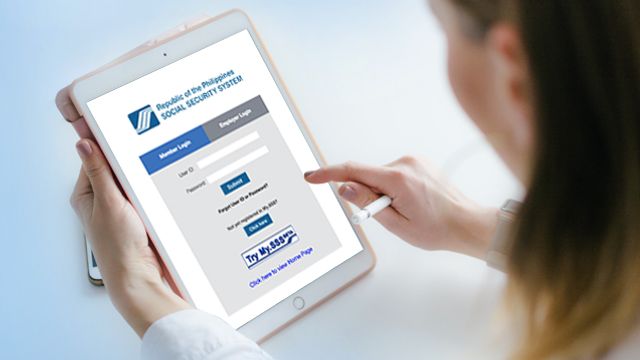
The Social Security System (SSS) has shifted to online transactions long before the enhanced community quarantine (ECQ) and COVID-19 health crisis. Members can just stay home and stay safe while still having access to SSS.
SSS transactions, such as applications for a salary loan, calamity loan, maternity notification, etc., are faster and more accessible, thanks to SSS online or My.SSS. It's the same for releasing benefits and loans to bank-accredited partners. Instead of waiting to claim and cash the check, it's automatically credited to the member's bank account.
It's mandatory that before a member can apply for an SSS loan or benefit, you need to register with My.SSS and enroll or link a bank account. The excellent news is that you can do both online. Bank enrollment can now also be done online.
If you're an SSS member, whether employed, self-employed, overseas Filipino worker (OFW), or voluntary member, and have not linked your bank account to SSS, do it now. It'll help you apply for and receive benefits and loans quicker.
How to enroll your bank account in My.SSS
First, you need to have a My.SSS account. With the SSS online website, it will be easier for members to get the most of their SSS benefits without going out. If you don't have one yet, it's easy to register. (Get the step-by-step instructions here.)
As soon as your My.SSS registration is approved, or for those who already have one, log in to your account. Under the E-services tab, you'll find Bank Enrollment.
Then, choose your bank from the list of SSS-accredited banks and enter your account number in the field provided. You will need to do this twice to make sure the two entries match. (Click here to see the list of SSS-accredited banks.)
Click the box that says you agree with the data collection and usage, and then click "Enroll Bank Account," and then click "Okay."
SSS will send you an email to confirm that it received a Bank Confirmation Notice. When you've received this in your email, any approved benefits or applications will be credited directly to your bank account. (Click here for directions on how to apply for a SSS salary loan online.)
Can you enroll more than one bank account in My.SSS? Yes. However, if any of your bank accounts become dormant or inactive, you would have to erase it yourself from SSS's records.
How to transact with SSS during ECQ
If you have concerns and inquiries, you can transact with the agency via the following channels:
- Text SSS for inquiries
- SSS mobile app for inquiries and select online transactions
- SSS Automated Telephone Number +6327917-7777
- SSS emails: member_relations@sss.gov.ph for general inquiries, ofw.relations@sss.gov.ph for OFW concerns, prnhelpline@sss.gov.ph for Payment Reference Number (PRN) concerns, onlineserviceassistance@sss.gov.ph for electronic or self-service facilities inquiries
- verified SSS social media accounts
Looking for more ways to get a cash loan? You can try Pag-IBIG Fund's Multi-Purpose or Calamity Loans here.
What other parents are reading

Lorem ipsum dolor sit amet, consectetur adipisicing elit, sed do eiusmod
Lorem ipsum dolor sit amet, consectetur adipisicing elit, sed do eiusmod