A Mom’s Viral Roblox Story Has Parents Talking About Safety
This mom's story sparked an important conversation about Roblox safety. Find out how Smart Parenting Village parents share what works for their families.
by April Kristel Llana, and Em Cruz
Published on Jul 1, 2026
Dubai-based content creator and mom Sheila Nanquil wasted no time addressing the topic, opening her reel with a question for her son:
“Naghubad ka ng shorts mo, tapos, nag-run ka di’ba? Bakit ka naghubad ng shorts mo?”
There are moments in parenting when a simple online post goes viral and stirs something deeper within us. It surfaces that silent fear every parent knows too well: Am I protecting my child enough?
The said social media post, which has garnered more than 40,000 Facebook shares and 66,000 Instagram likes, has done exactly that, reminding parents that the digital world isn't always as harmless as it seems.
The child explained that someone using the name "James 489" on Roblox instructed him to remove his shorts and jump. Innocently, he said he had been promised a "trophy" and advancement to the "next stage" if he completed the task.
In the following clip, the young boy breaks down in tears as the seriousness of the situation begins to sink in. His mother comforts him, reassuring him that he is safe and telling him they would delete the gaming app from the phone.
In a separate post, Nanquil clarified that she wasn't blaming Roblox. Instead, she said she wanted to raise awareness that situations like this can happen to children without parents realizing it.
One Instagram user commented:
"Thank you for sharing ❤️❤️ so more parents see the risks of social media. Can't leave the kids crossing the street on their own. Same way as can't leave them screen time on their own. Too much risk."
Even actress-host Jolina Magdangal-Escueta reacted, writing:
"Mas masakit ito para sa magulang. 😢 Will pray for your little boy and for you, momshie."
For those who aren’t familiar with it, Roblox is a digital playground where children can create games, explore virtual worlds, and connect with friends online. It's no surprise that the platform has become one of the world’s most popular gaming apps children and teenagers.
In the Philippines, its popularity continues to soar and has become a familiar name in many households, especially those with young children. According to a 2023 statistical report, Roblox was the country's second most-used mobile gaming app, with 67.3 million daily active users, 80% of whom were under 16 years old.
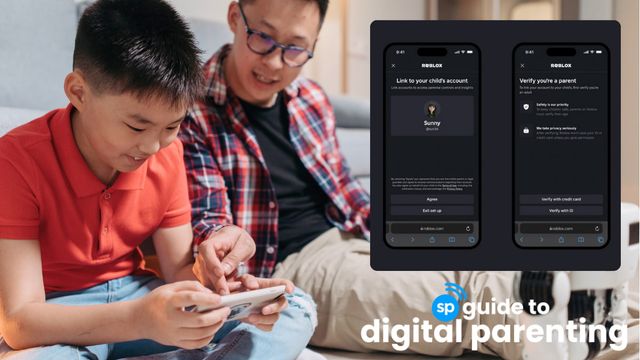
Roblox's Updated Parental Controls: A Guide For Parents
Read hereWhen Play Turns Into Worry
What looks like "just a game" to a child can become a space where too much time is spent, emotions are affected, and family connection slowly gets pushed aside.
For many parents, the hardest part is not the screen itself. Research shows that parents' concerns about Roblox extend far beyond screen time. Many worry about unmonitored chats, interactions with strangers, and exposure to inappropriate content. Others struggle to set healthy boundaries when gaming begins to interfere with sleep, family routines, and daily responsibilities.
Many parents also worry about Robux, Roblox's virtual currency, and the pressure children may feel to make in-game purchases.
More often than not, it's the subtle changes parents notice in their children that concern them most: a shorter temper, quiet withdrawal, distracted meals, restless nights, or the feeling that their voice is no longer the loudest one in the room.
These quiet shifts can break a parent's heart long before anyone says something is wrong.
What This Means for Filipino Parents
In Filipino households, where love is often expressed through sacrifice and care, discovering that our children are hurting can feel especially painful. Whether that pain comes from a scraped knee, a harsh word at school, or an unsettling experience online, every parent wants to protect their child from harm. But as more of childhood unfolds in digital spaces like Roblox, protecting our children also means understanding the virtual worlds where they spend their time.
We may not be able to shield them from every risk, but by staying involved, listening without judgment, and guiding them with patience, we can help them develop the confidence and critical thinking they need to navigate the digital world safely.

Right Under Our Noses: The Covert Dangers of Roblox Most Parents Are Unaware Of
Read hereHow Parents are Keeping Kids Safer on Roblox
While no set of rules can eliminate every online risk, many parents are finding practical ways to help children enjoy Roblox more safely.
We asked members of the Smart Parenting Village who allow their children to play Roblox about the rules and safeguards they have in place. Here's what they shared.
Set Parental Control
One anonymous member shared that her children, ages 7 and 8, each have their own Roblox accounts with parental controls enabled.
Other parents said they also use the feature, adding that they have disabled voice chat and monitor connection or friend requests.
When a Roblox account is linked to parental controls, parents can manage:
Content maturity: Limit games based on age-appropriate content
Blocked games: Prevent child from searching and accessing specific experiences
Communication settings: Control who can chat with child, restrict direct messaging, and limit party invitations
Connections (Friends): View a child’s friends, block specific users, and report inappropriate accounts
Screen time: Set daily play limits and platform usage, and view the child’s most-played games
Spending controls: Set Robux spending limits and receive spending notifications
Private server access: Control whether the child can join or host private servers
How to Set Up Roblox Parental Control
On your child’s device:
Go to Settings > Parental Control > Tap Add Parent.
Enter your email address.
Create or sign in to your Roblox account: You may need a government-issued ID and/or a credit card to verify that you’re an adult.
Accept the request to link your account. Once completed, your child’s Roblox account will appear in your Parental Controls dashboard.
Remember: Roblox’s Parental Controls are not foolproof. Some games use developer-created chat systems that are not fully governed by Roblox’s communication settings.
Limit Your Child’s Screen Time
Another parent shared that they use Google Family Link to limit their child’s Roblox usage.
“Usage ng phone limit is set to maximum six hours, with downtime at 7pm until 7am.”
To limit Roblox using Google Family Link:
Open the Google Family Link and select your child’s profile.
Go Screen time > Select time limits > Tap app limits.
Select Roblox from the installed apps.
Tap Set Limit, choose the daily time allowance, then tap Done to save.
To set an overall device limit:
Open Screen Time in Family Link.
Set a daily limit for the device.
Optionally schedule Downtime, such as from 9am to 7pm.
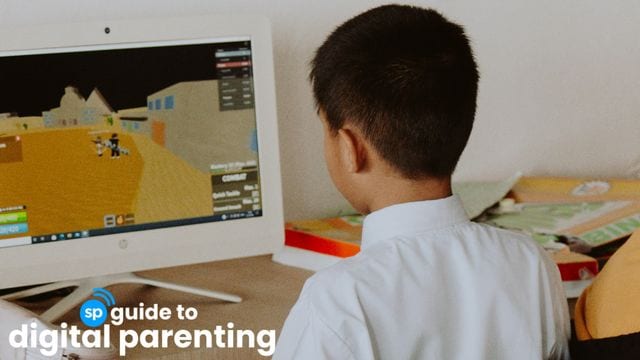
How Safe Is Roblox? A Deep Dive Into The Platform's Safety Issues
Read hereLet Kids Play Only With People They Know
Several parents shared that their children are only allowed to play with people they know and, whenever possible, on private servers.
One parent said:
“She can only play with people she knows like relatives or friends, tapos usually naka-call sila. No adding and chatting people she doesn’t know.”
Chat permissions and friend requests can be managed through Roblox's parental controls.
Creating Your Own Private Roblox Server
Go to the game’s page on Roblox and scroll to servers.
Under Private Servers > Tap Create Private Server and give it a name.
Pay the required Robux fee if the game charges one.
Open the server settings and add usernames of family members or trusted friends allowed to join.
Before creating one, make sure that:
Your child is allowed to join private servers under Roblox's parental settings.
The game supports private servers.
Either your child or one of their trusted friends owns or subscribes to the server.
Joining a Friend's Private Server
Open to Roblox game.
Scroll to Servers section.
Locate your friend’s private server.
Tap or click Join.
Inviting Trusted Friends
Open your private server settings.
Select Configure.
Add the Roblox usernames of trusted friends.
Save your changes.
Play With Them
Parent Rayche San Felipe offered this advise:
“Play with them. Bonus yan since you have something in common to talk about and regulated and playing time.”
Other parents said they only allow Roblox when an adult is nearby.
“Dapat magkatabi kami every time naglalaro siya, minsan kaming dalawa ang naglalaro.”
Another shared:
“He’s allowed to play as long as may adult around. Either me or his dad or any adult in the family.”
Parents also make it a point to remind their children:
“Yung nilalaro namin sa Roblox, hindi dapat gawin sa totoong buhay.”
Technology will continue to evolve, and so will the online spaces where our children spend their time. While no app or parental control setting can remove every risk, staying involved in our children's digital lives can make a meaningful difference.
Perhaps this viral story is less about Roblox itself and more about the conversations it encourages inside our homes.
More than games and entertainment, our children need our attention, our voice, and our steady, reassuring presence. After all, the most powerful safety feature any child can have is a trusted adult they know they can always turn to.
In 2024, Smart Parenting launched the Smart Parenting Guide to Digital Parenting to meet the Filipino family's need for expert-backed, evidence-based guidance and reporting on raising children in the digital age. We've published longreads on why Filipinos need a guide for parenting kids in the face of digital advancements, imagining a Philippines with a social media ban for minors, and have continuously reported on cyberbullying. Keep visiting and following Smart Parenting to stay up to date.
In light of the recent school violence, here's expert advice on talking to kids and the reminders that can help keep them safe.
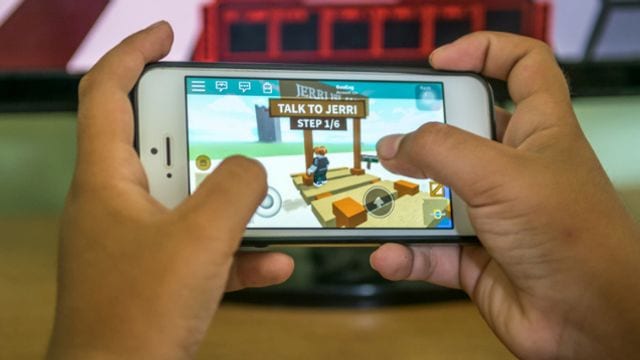
Should We Let Our Kids Play Roblox? Dad Shares His Thoughts
Read here
A doting mother of two, April finds her greatest joy in traveling to new places with her family. When she's not chasing new horizons or penning down her thoughts, she channels her creativity into cooking, baking, or getting lost in the pages of a beloved book.

Em is a mom of two fueled by coffee, stories, and parenting chaos. When not on her laptop as Smart Parenting’s Assistant Managing Editor, she’s likely lost in a book or movie.